
1 Device - 3 Contexts
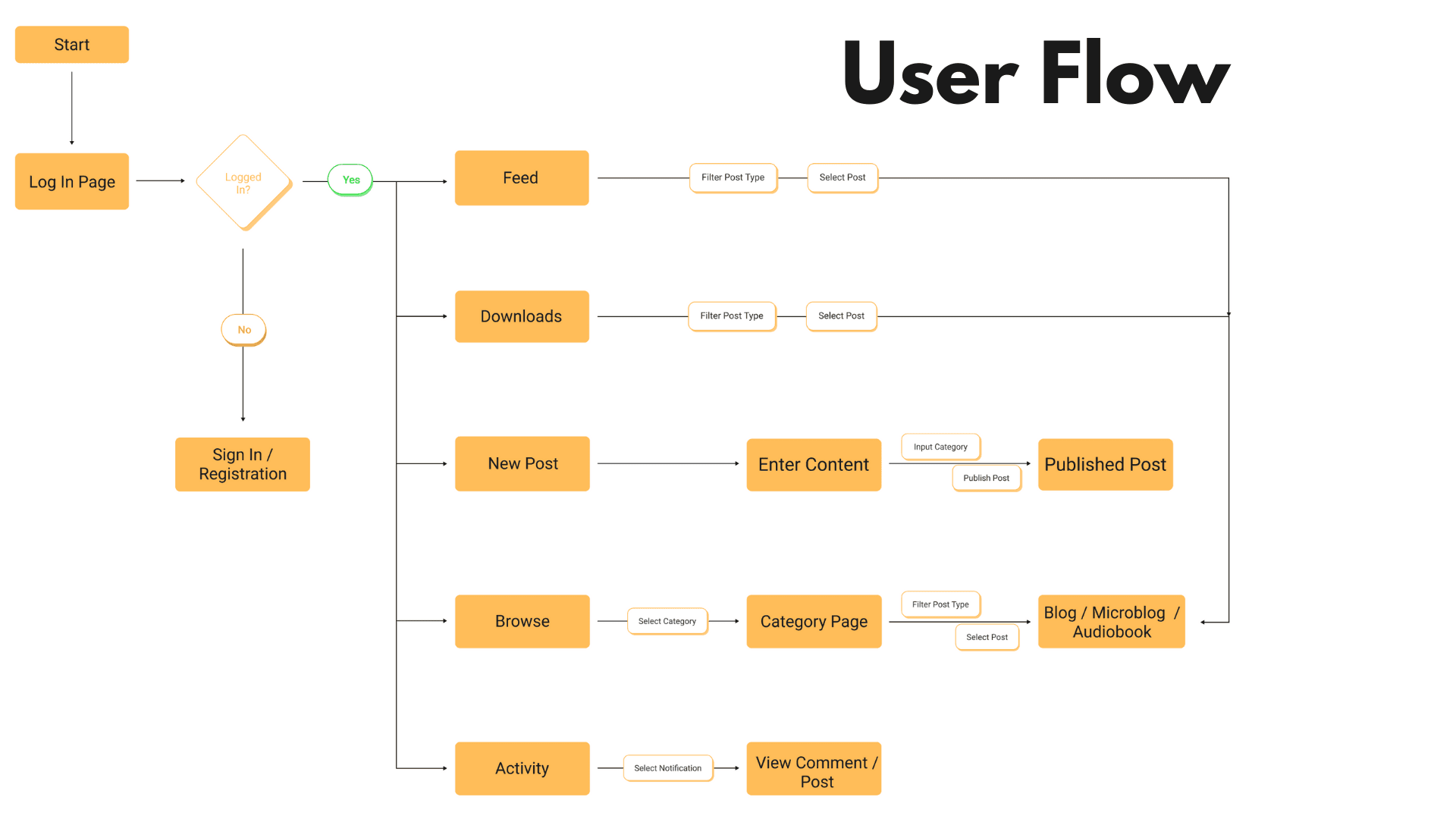
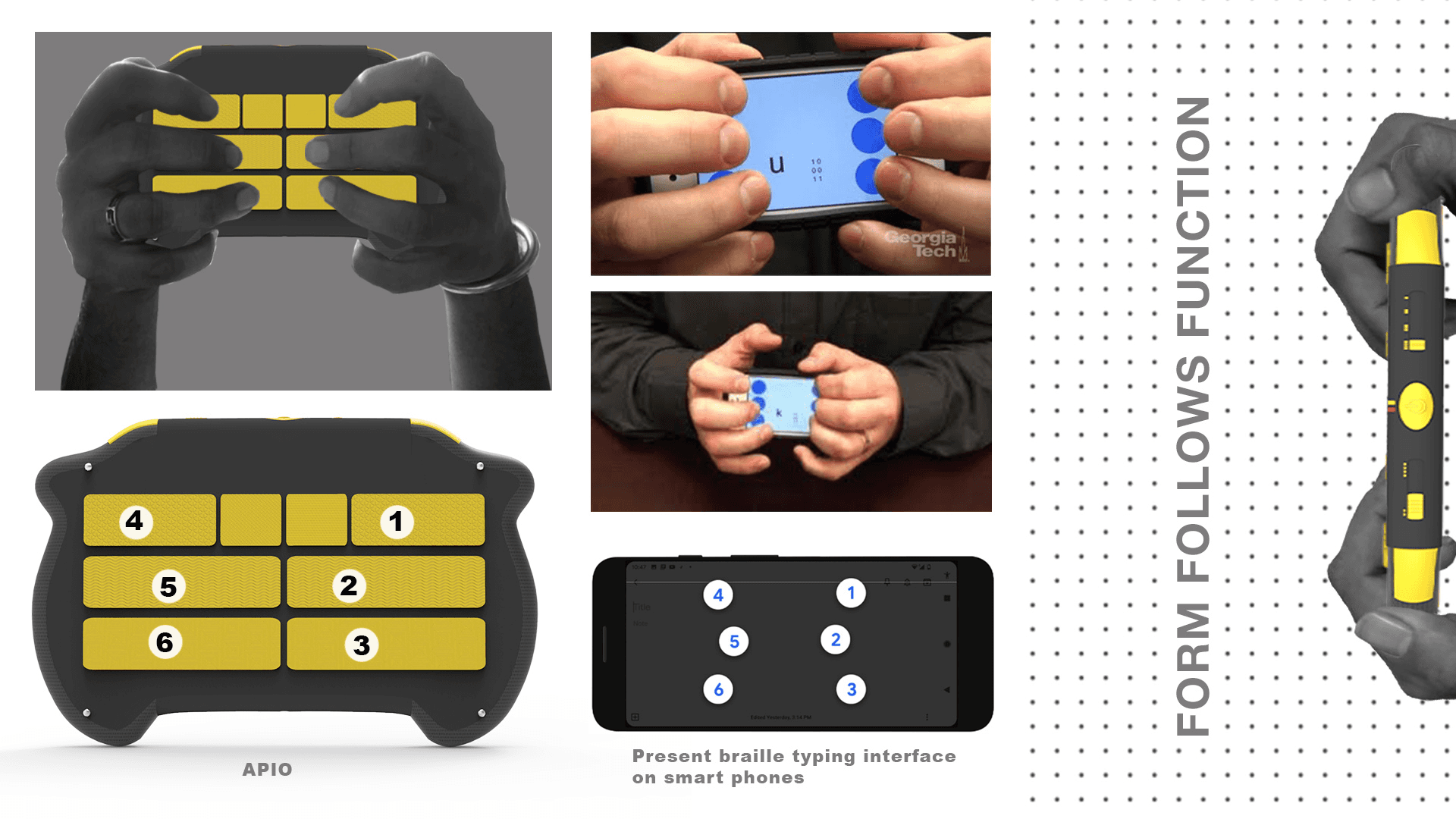
Reading, writing, and publishing Braille content which was previously three separate tools collapsed into a single six-key device and matching app interface.
HARDWARE AND APP design · 2020
An accessible microblogging device and app, designed with visually impaired users from research through hardware form and mobile application.
Objective
To design a system spanning hardware and app that lets visually impaired people read, write, and share content independently, without relying on sighted assistance or inaccessible touchscreens.
Challenges
Existing assistive tools solved narrow slices of the problem. They had audio playback, or Braille reading, or typing but none combined reading, writing, and sharing in one accessible object. Early interviews surfaced needs pulling in different directions: independence, tactile trust, and social connection all had to be designed for at once.
Approach
The team followed a Double Diamond process: broad primary and secondary research into visually impaired users' relationship with technology, narrowing to a defined problem statement, then diverging again into concept and hardware exploration before converging on a single device-and-app system.
Methodology
Research combined expert interviews, a deep-dive user interview, and synthesis tools like empathy mapping and personas were used to move from a broad problem space to a specific, testable concept, alongside secondary benchmarking against existing assistive-tech research.


Solutions & Findings
Research pointed to one core insight: Braille literacy is usually taught and used in a single narrow context: a classroom typewriter. But life happens in a plethora of contexts and it has to work across: reading, writing, and social sharing, on one portable object.

Reading, writing, and publishing Braille content which was previously three separate tools collapsed into a single six-key device and matching app interface.




Recommendations
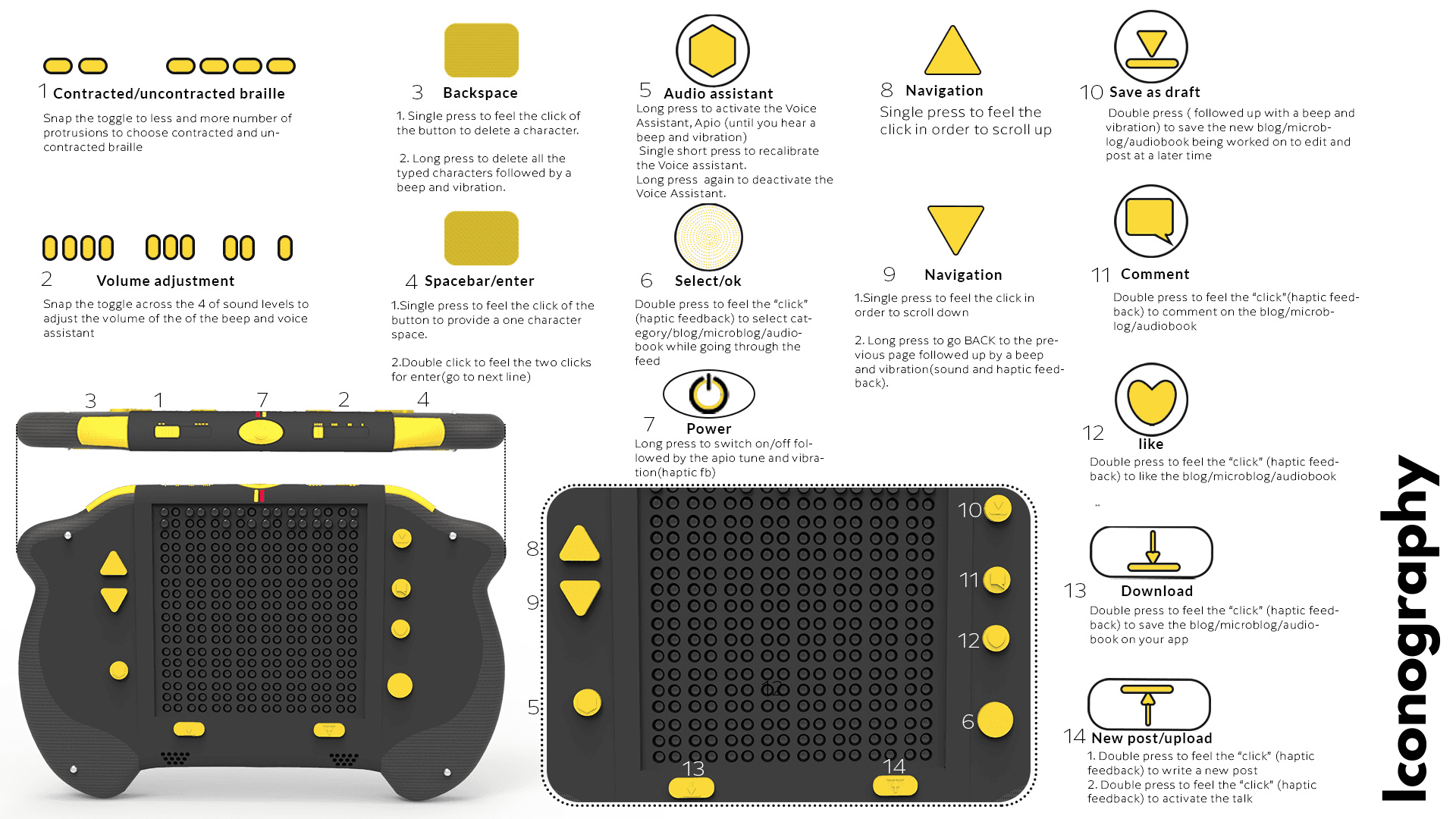
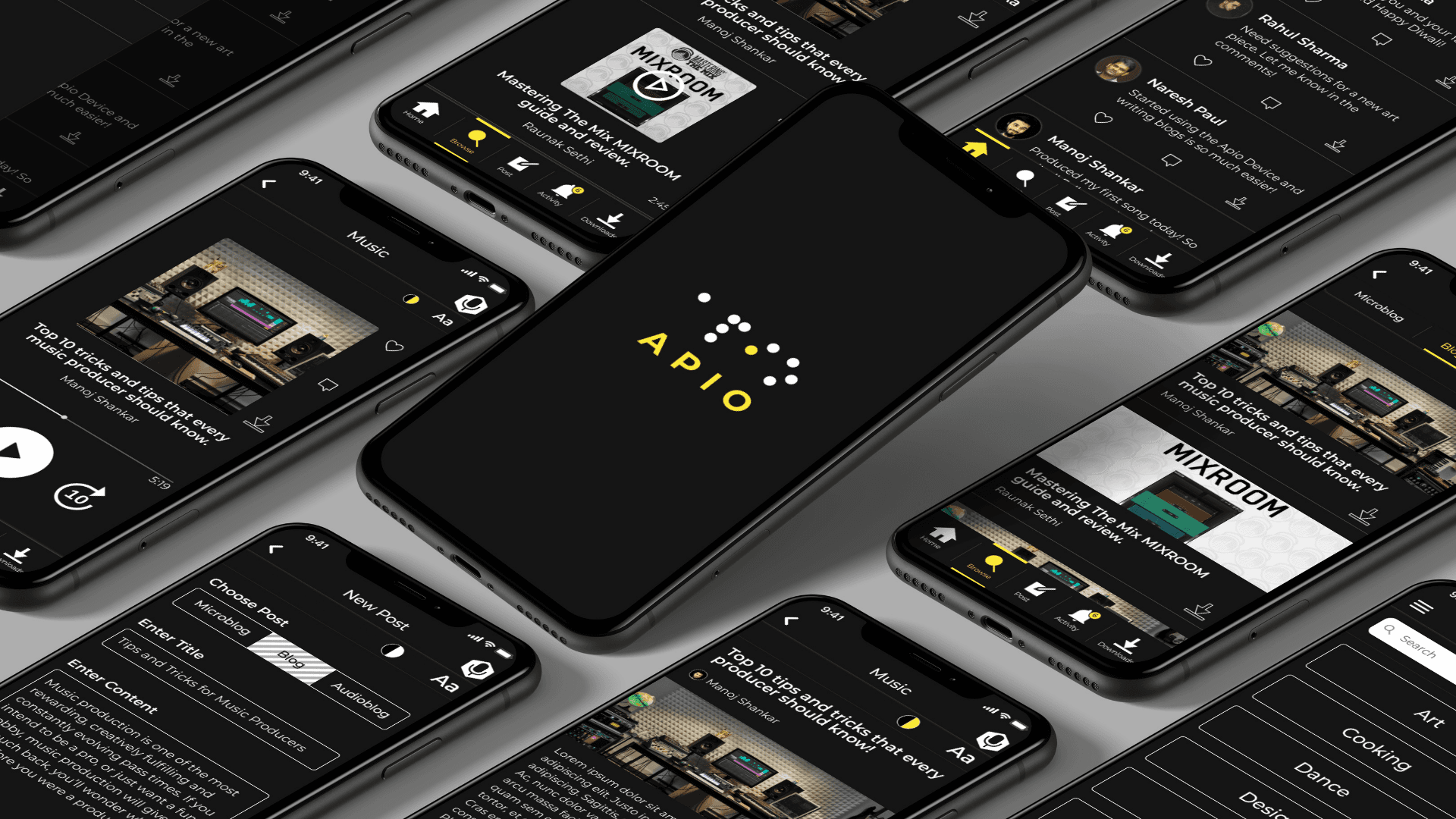
The team proposed parallel functionality across device and app: every core action such as browsing by category, typing, reading, scrolling, everything works identically whether the user prefers the physical device or the touchscreen app with voice assistant. The final device includes a Braille-key input matrix, tactile navigation buttons, and a voice assistant synced with the app's screen-reader hierarchy. Touch-sensitive Braille projections that could double as selectable buttons, and customisable button remapping, were logged as future potential rather than built in this phase.




Outcomes
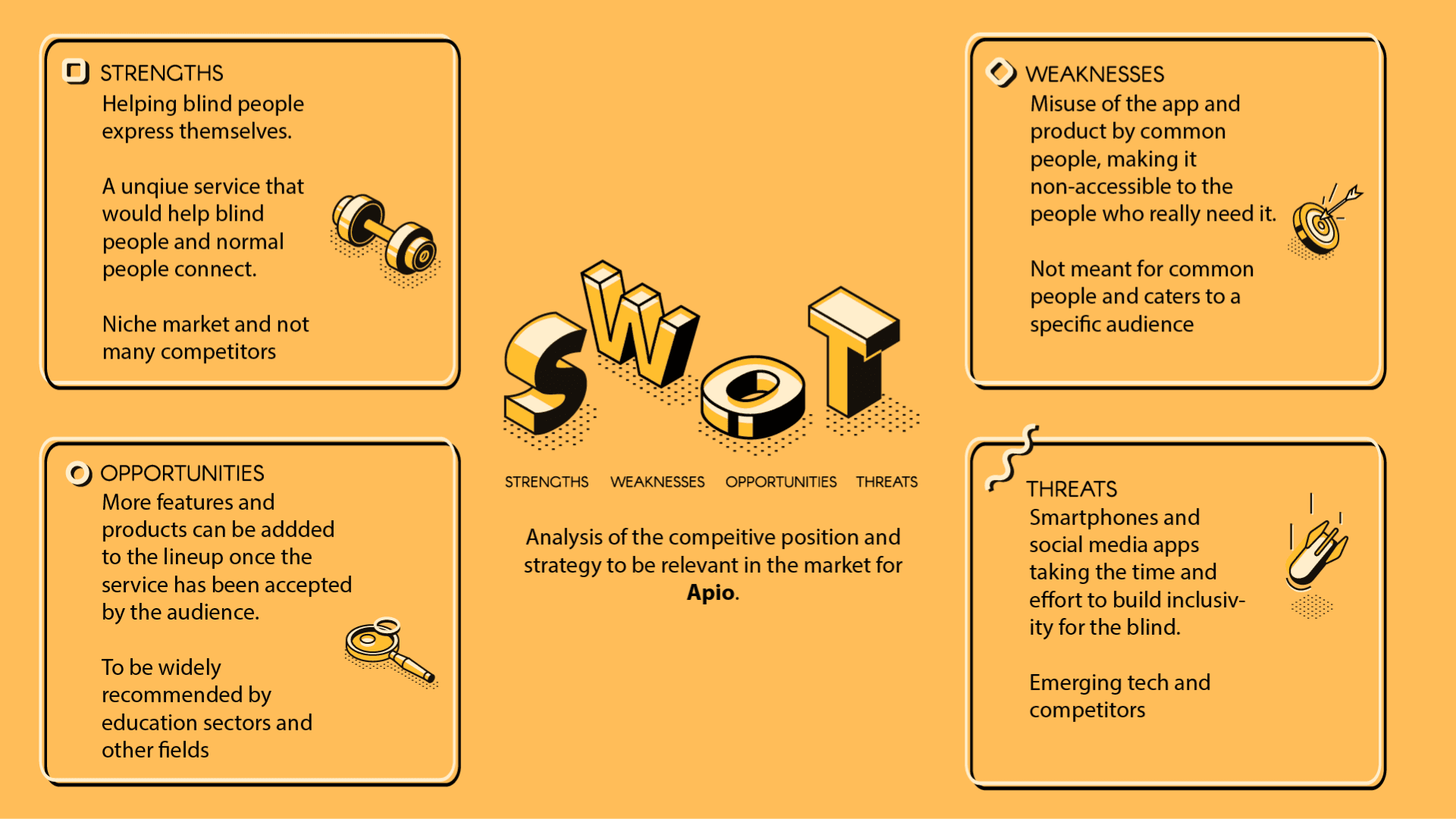
Apio concluded as a fully specified concept: a rendered industrial design for the hardware, a mapped information architecture and user flow for the companion app, and a working interaction model with tactile buttons, voice assistant, accessibility settings all validated against real user interviews and personas rather than assumptions. The project won in under the accessibility category at the D'Kalp Design Competition, and the team extended their thinking beyond the single device into a considered product ecosystem, including a system map and business model covering manufacturing, school and hospital partnerships, and a sustainable revenue model.
D'Kalp Design Competition
Under the 'Physically Challenged' category in 2021
Distinct tactile functions designed into the device
Braille input keys, benchmarked against existing research for portability
Learnings
Accessibility features designed as core interaction logic, not overlays, tend to produce simpler and more robust interfaces overall.
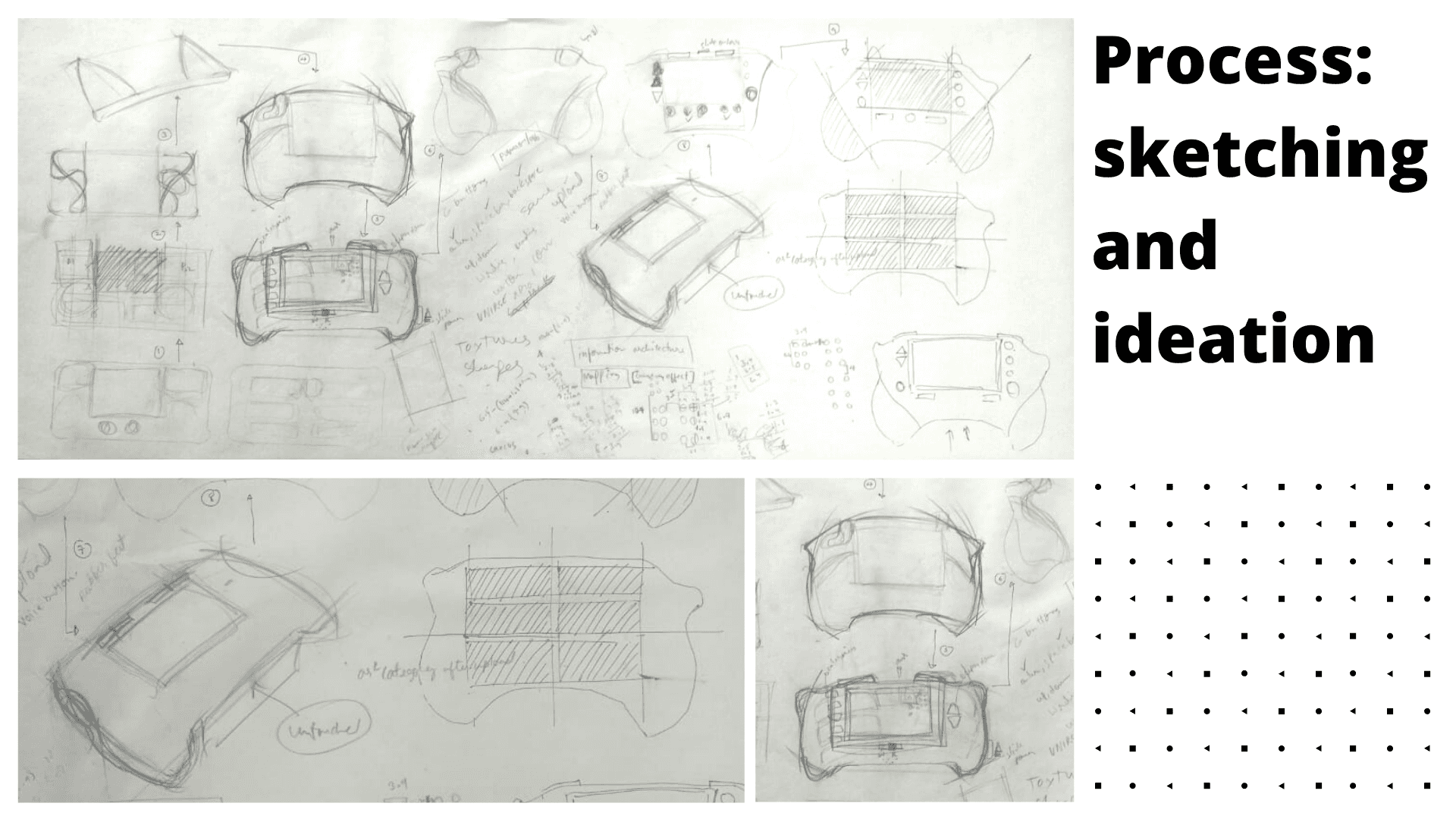
Form and function questions in hardware design benefit from cheap physical prototyping like cardboard and paper before committing to renders.
Designing in parallel for multiple literacy or proficiency levels within one user group surfaces requirements a single persona would miss.
Next